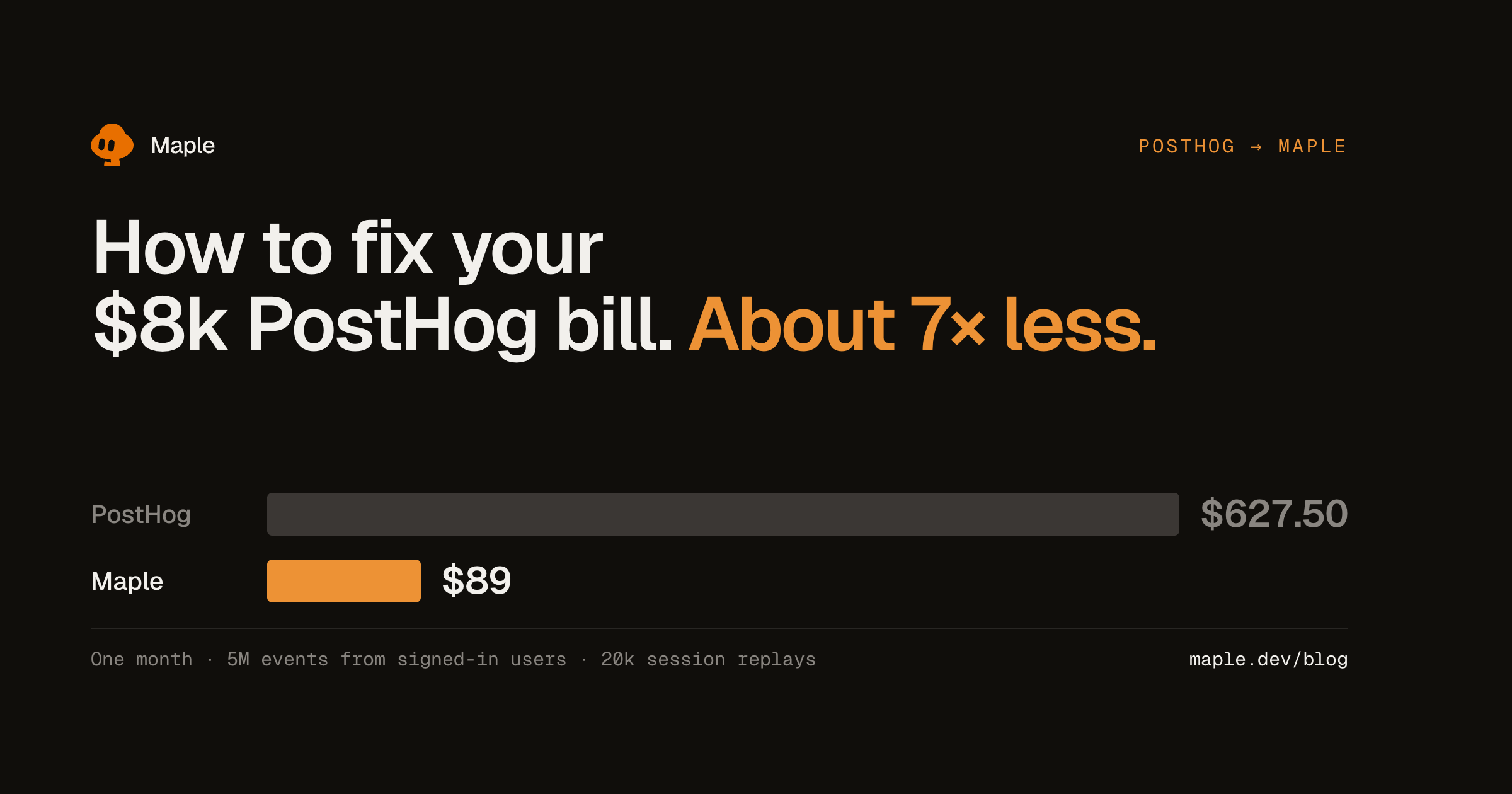
How to fix your $8k PostHog bill
Same product events and session replays for about 7x less. A quick guide to moving them from PostHog to Maple, with the code.
 David Granzin Founder, Maple
On this page
My timeline this week is pretty much all PostHog invoices. If one of them is yours, this is the quick version of moving your analytics over to Maple.
Maple covers the stuff most teams use every day: product events, funnels, web analytics, a page per user, and session replay. An event costs the same whether the person is signed in or not. Every replay also links to the backend traces behind it.
Here’s what that comes to for a normal SaaS month, 5 million events from signed-in users and 20,000 recorded sessions:
What maps to what
| In PostHog | In Maple |
|---|---|
| Events | Product events |
| Funnels and paths | Product analytics |
| Trends | A dashboard chart on product events |
| Web analytics | Web analytics |
| Persons | Users, with each person’s events and replays |
| Session replay | Replays, linked to the traces and errors |
| HogQL | SQL |
What it looks like
Funnels count people across the browser and your backend, with conversion, time to convert and where people drop off. These two are the real charts from the app on demo data, so hover them.
Paths show what people did after (or before) any event or page.
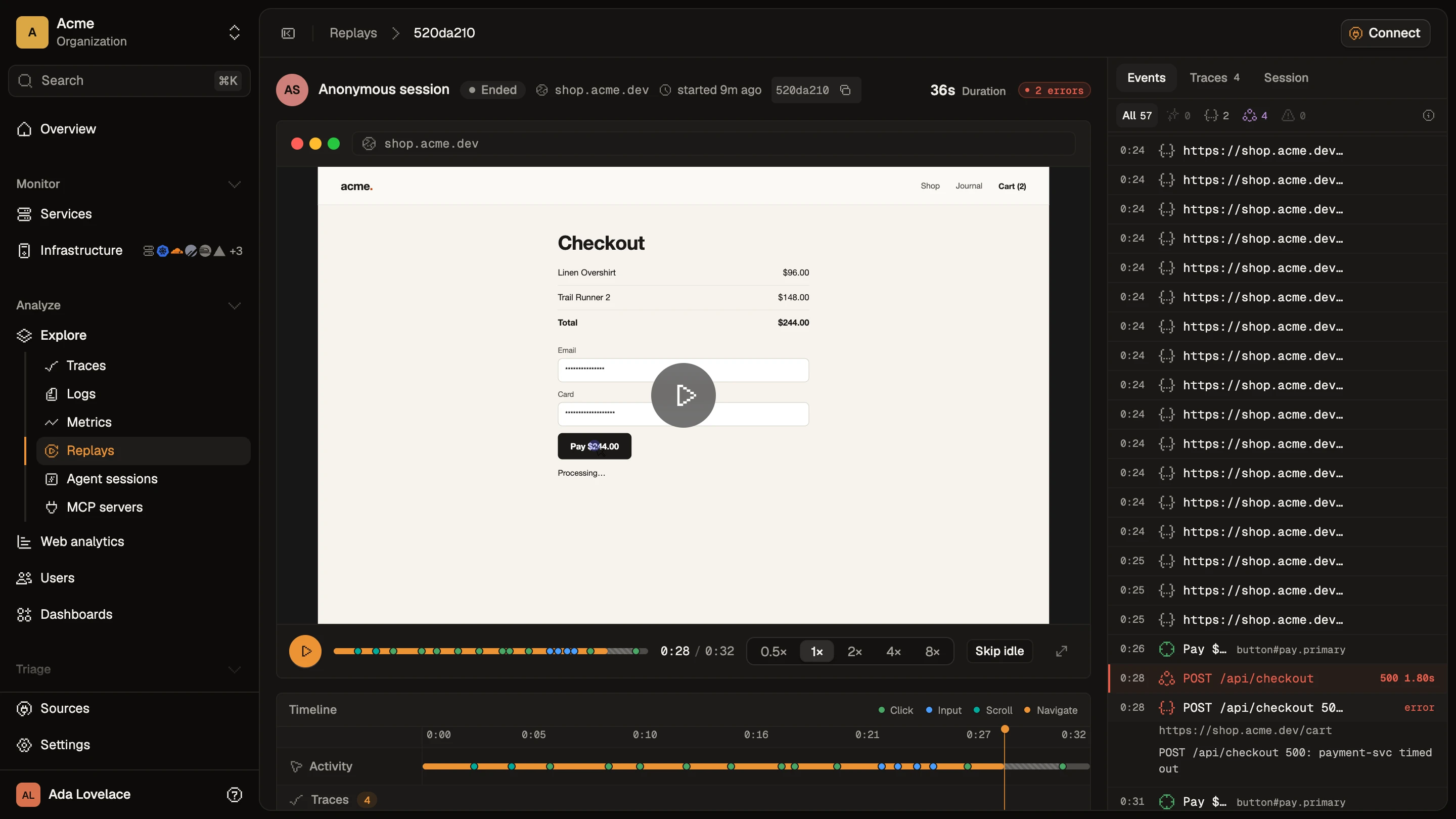
Every replay sits next to the requests it made, so a failed checkout shows the 500 and the trace behind it.
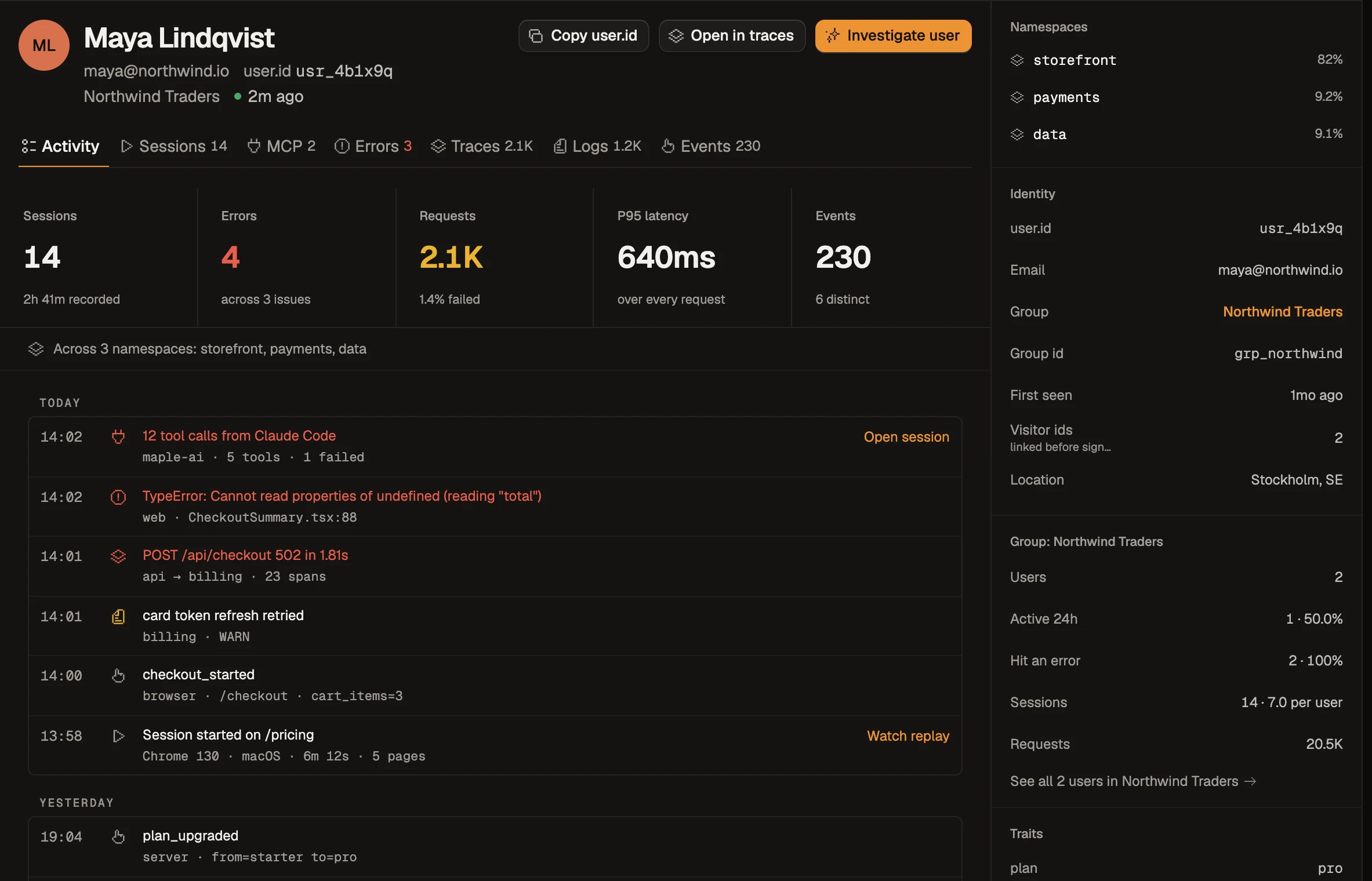
And each user gets one page with their sessions, errors, traces and events.
Switching
1. Add the SDK.
bun add @maple-dev/browserimport { MapleBrowser } from "@maple-dev/browser"
MapleBrowser.init({ ingestKey: "maple_pk_...", serviceName: "web" })That’s enough to get page views, sessions, replays and errors coming in.
2. Swap your calls. They map almost one to one:
// posthog.identify(user.id, { email: user.email })
MapleBrowser.identify({ id: user.id, email: user.email })

// posthog.capture("plan_started", { plan: "pro" })
MapleBrowser.track("plan_started", { plan: "pro" })

// posthog.reset()
MapleBrowser.identify(null)
If your calls are all over the codebase, put both SDKs behind one small analytics.ts for now. Then you only have to touch one file when you remove PostHog later.
3. Move server-side events. You post them to one endpoint, from any language:
curl -X POST https://ingest.maple.dev/v1/events \
  -H "Authorization: Bearer YOUR_INGEST_KEY" \
  -H "Content-Type: application/x-ndjson" \
  --data-binary $'{"name":"plan_started","user_id":"user_123"}\n'
If you already trace that request with OpenTelemetry, just add maple.product_event.name to the span and skip the extra call.
4. Rebuild the funnels you actually look at. Usually that’s like five or ten. Skip the rest.
5. Run both for a week. Once the numbers agree, delete the PostHog lines.
What Maple doesn’t do yet
Tbh there’s a list:
- Feature flags, experiments and surveys
- Retention and cohort charts
- Heatmaps
- Mobile SDKs and mobile replay
If you use any of these, keep a small PostHog plan for just those and move the rest. Most of the bill is usually events and replays anyway.
Try Maple free for 14 days, or read the product events docs.